
Appearance
Getting started
Loquy turns a sentence, a book, a Google Doc, or a website into a narrated slide course. You can write it in one of 15 languages.
You work at app.loquy.ai. This help site is for authors. Students do not need a Loquy account.
A to Z video walkthrough
Prefer watching? Four short videos walk through creating a course from start to finish (about 25 minutes total).
Your first path
- Sign in with email and password at app.loquy.ai/signin.
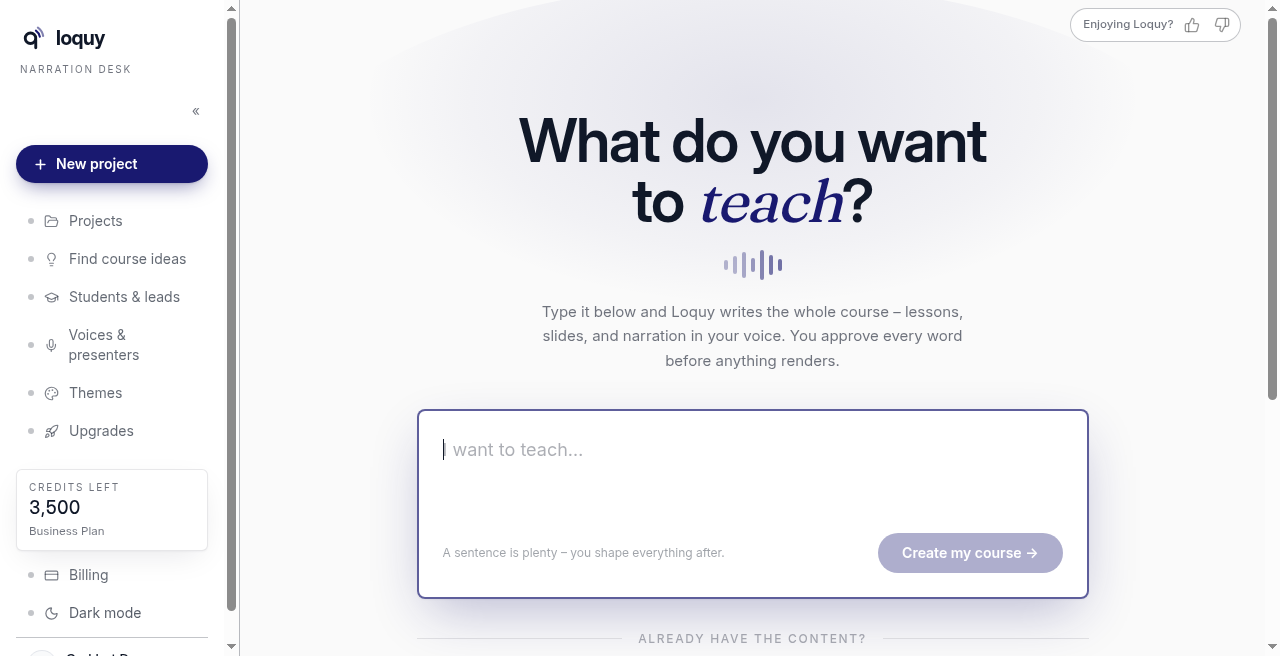
- Open Your projects. Click + New project (or New project in the left menu; on a phone, + in the top bar).
- Start from a sentence (What do you want to teach? / Create my course →) or, under already have the content?, import a book, doc, or website.
- Answer the short chat, then click Draft my outline (free) →.
- Approve the outline. That writes the lessons and slides.
- Open the Course builder to finish the course.
Stuck on where things live? See Your projects.
What a typical course costs
A default course is 5 modules × 3 lessons (15 lessons).
Draft my outline (free) → costs nothing.
| Step | Credits |
|---|---|
| Write the 15 lessons | About 30 |
| Design the slides | About 50 |
| Video later | About 30 |
| Whole default course | About 110 |
Approve writes the lessons and slides — about 80 together.
If writing fails (AUTHOR-FAILED), Loquy refunds those credits. You can approve again.
Your plan caps how many lessons one course can hold: Standard 20, Premium 30, Business 40.
What you can do on your plan
- Standard — make and download courses. No hosted course pages. No voice clone. No on-screen presenters. 12 voices. 15 course languages.
- Premium — hosted course pages, 1 voice clone, presenters, and a student list.
- Business — quizzes, certificates, workbooks on the page, AI tutor, subtitles, welcome emails, magic-link access, leads CSV, no Loquy branding, and 3 clones.
See Compare plans and Billing and credits.
Browse by job
- Find course ideas — a chat form if you do not have a topic yet
- Course language — 15 languages on every plan
- Voices and presenters — who speaks (and, on some plans, who appears)
- Themes — how the slides look
- Course page — Premium and Business hosted pages
- Publish — Publish course page →, then Copy live link
- Download — every plan; this is how Standard delivers
- Quizzes, Certificates, AI tutor — Business
- Students and leads — Premium and Business
- Your account — password and sign-out
Something broken, or an idea? Click Report at the top right of any page — it tells us which page you were on, so we can find it fast.
Need a person? Email hello@loquy.ai.