
Appearance
Course language
Every plan can write a course in one of 15 languages. Pick the language before Loquy writes the lessons.
The author editor stays in English. Slides, narration, quizzes, workbooks, and the student page follow the language you pick.
Languages you can pick
The chips and the Course language dropdown use these names:
English, Spanish, French, German, Portuguese, Italian, Dutch, Danish, Norwegian, Swedish, Finnish, Polish, Czech, Hungarian, Romanian.
You cannot type a language that is not on that list.
Hindi is not a course language. On Business, Hindi can be a subtitle track.
From a sentence
- Start a course from a sentence.
- In Write my course, wait for What language?
- Tap one chip.
- If you click Skip this question →, Loquy uses English.
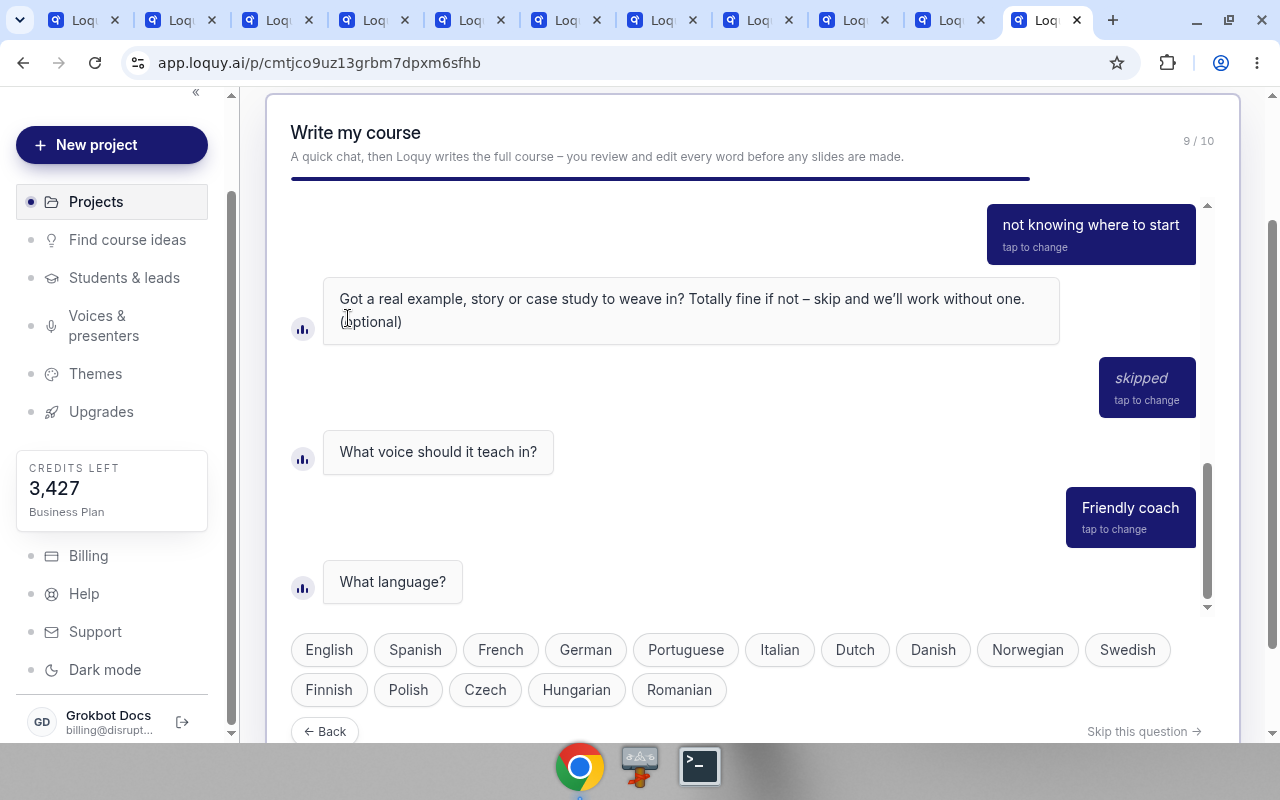
The chat summary can show a line like Voice: Friendly coach · Spanish.
From a book, doc, or website
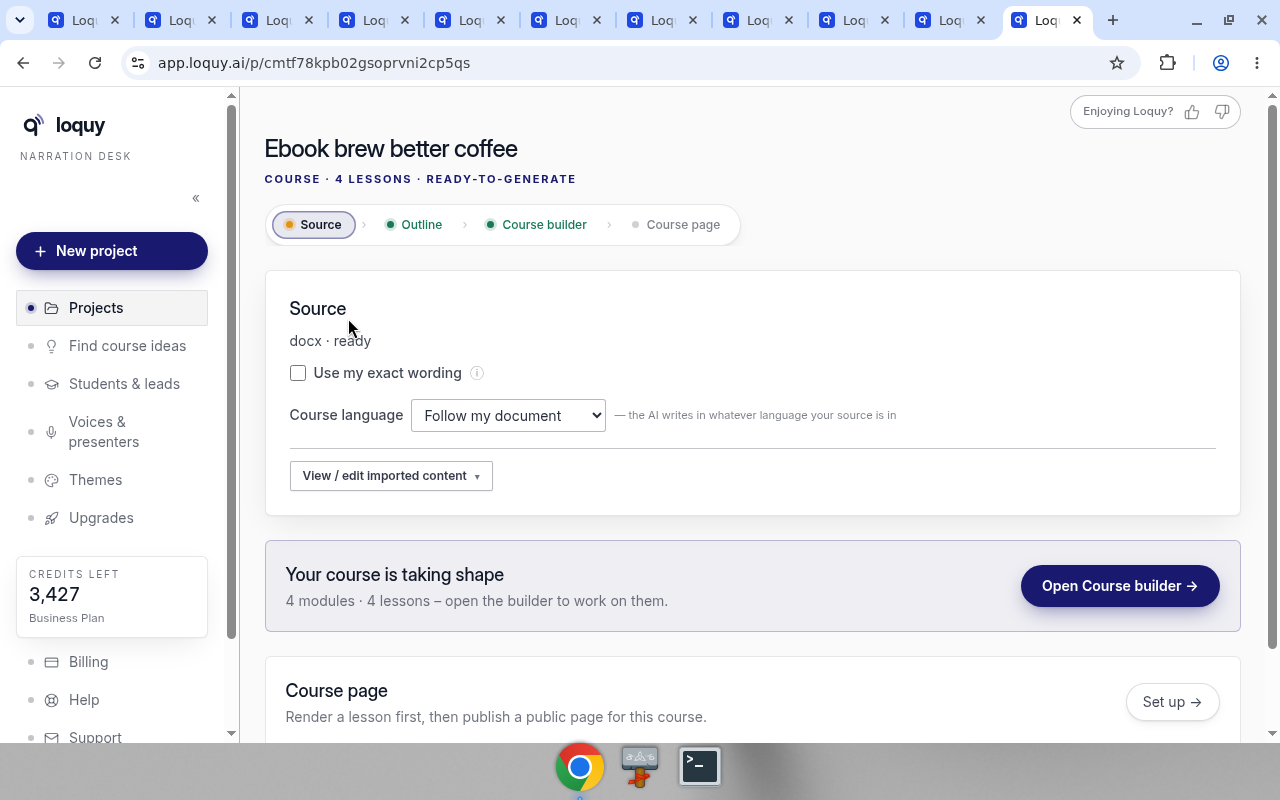
Imported files are not asked in the chat. Set the language on the project Source card after extract (the file line looks like docx · ready).
- Import the file or link.
- On Source, find Course language.
- Leave Follow my document if you want the AI to follow the source.
- Or pick a language. Names that differ in the native spelling show both, for example Spanish · Español.
When it is unset, the helper says: — the AI writes in whatever language your source is in
Could not save? You will see Could not save – try again.
On the same Source card, a converted import also shows Use my exact wording (off by default) and View / edit imported content. See Import.
Set the language before you confirm the outline or generate slides. Changing it later does not rewrite lessons that already exist.
What the language changes
- Lesson titles and slide labels (for example recap and objectives)
- Narration
- Quizzes and workbooks
- The public student page (buttons such as Start the quiz → and Ask the tutor)
It does not change your Loquy menus. Those stay in English.
Voice and language
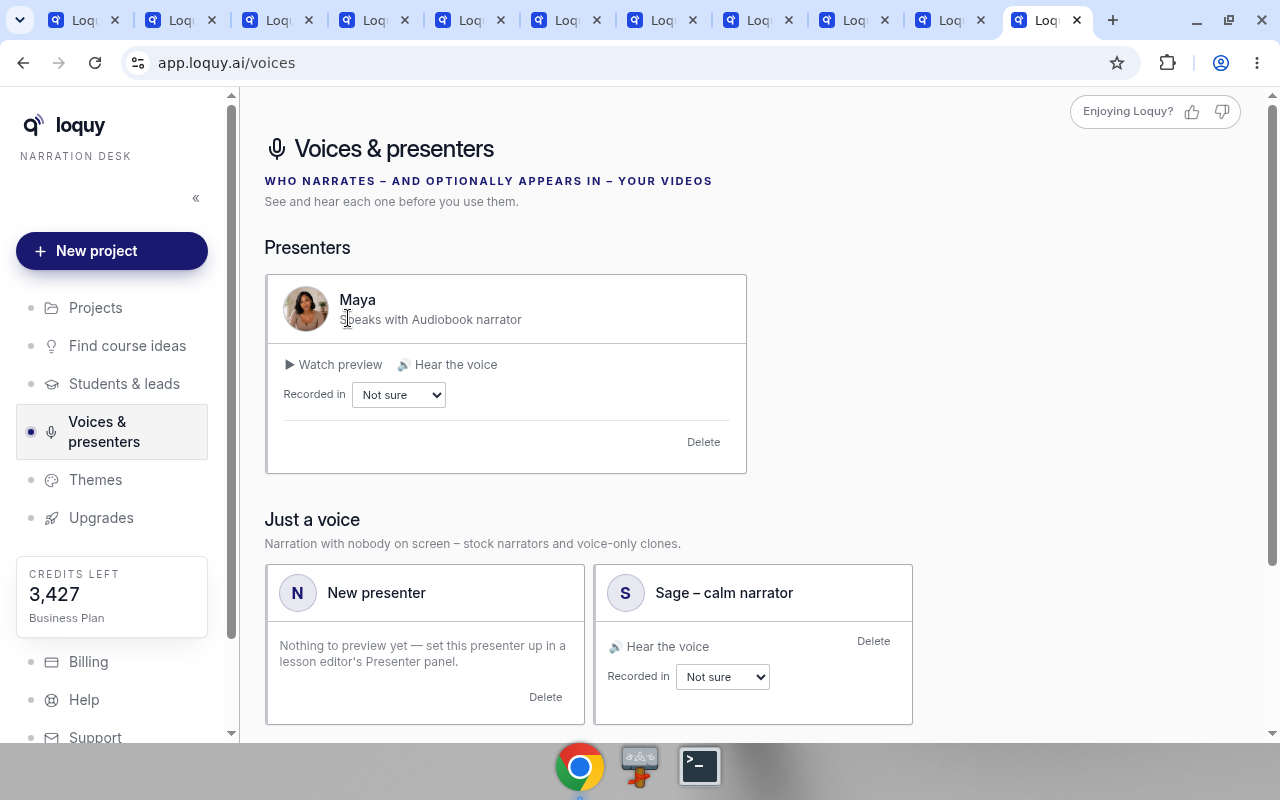
A cloned voice can only speak the language it was recorded in.
On Voices & presenters, each clone has Recorded in. Pick the language, or leave Not sure.
If the course is not English and you used a clone, Course builder may ask One quick thing about the voice.
Buttons:
- It's Spanish (or whichever course language you picked)
- It's English
- another language → (opens Voices & presenters)
If the voice matches, you see: Got it – {name} keeps narrating this course.
If it does not, Loquy narrates with a natural voice in the course language. Your clone stays available for other courses.
A stock English house voice is swapped automatically. The source card can say that voice is an English recording, so the course will be narrated by a natural voice in the course language instead.
Subtitles
English captions are automatic after you render.
Translated tracks are Business. See Course page.