
Appearance
Quizzes
Quizzes are a Business feature.
Standard and Premium do not include quizzes on the hosted page.
Add a quiz
- Publish or dress a course page.
- Click Open the page editor →
- Open Add.
- Under Student extras, click Quiz (free).
Loquy generates five questions from the lesson narration. Each question has four options.
You can add a quiz per lesson. The extra sits at the end of that lesson.
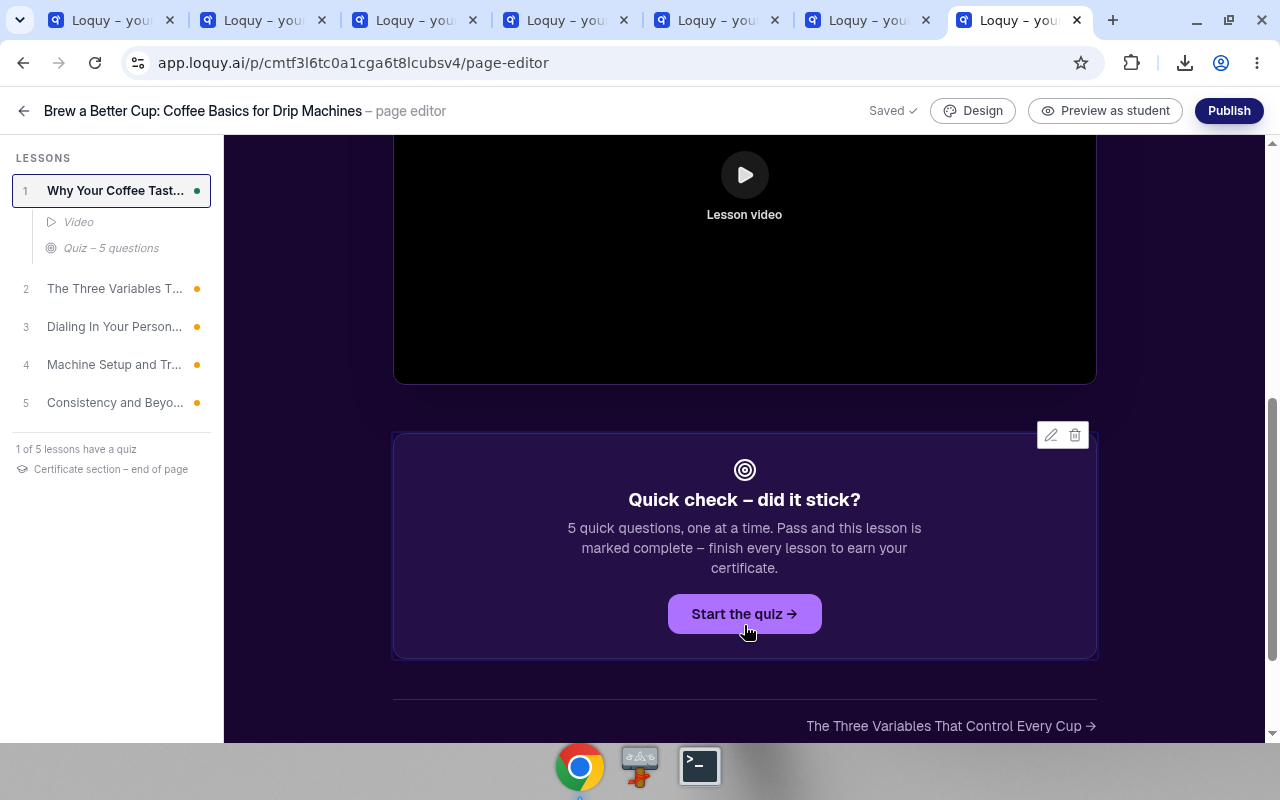
The left LESSONS list can show Quiz – 5 questions under a lesson. The footer says N of M lessons have a quiz.
Edit the quiz
On the quiz block, use Edit (pencil) or Delete (trash).
The QUIZ panel says: 5 questions, generated from this lesson's narration. Students who pass get the lesson marked complete – their first submission captures their email as a lead.
Buttons:
- ↻ Regenerate
- Remove quiz
- Add to all lessons – N remaining — copies a quiz onto every lesson that does not have one. N is how many lessons still need one. While it runs the button says Generating…
If this lesson already has a quiz, Quiz in Add → Student extras is greyed out (Already on this lesson – it sits at the end).
What students see
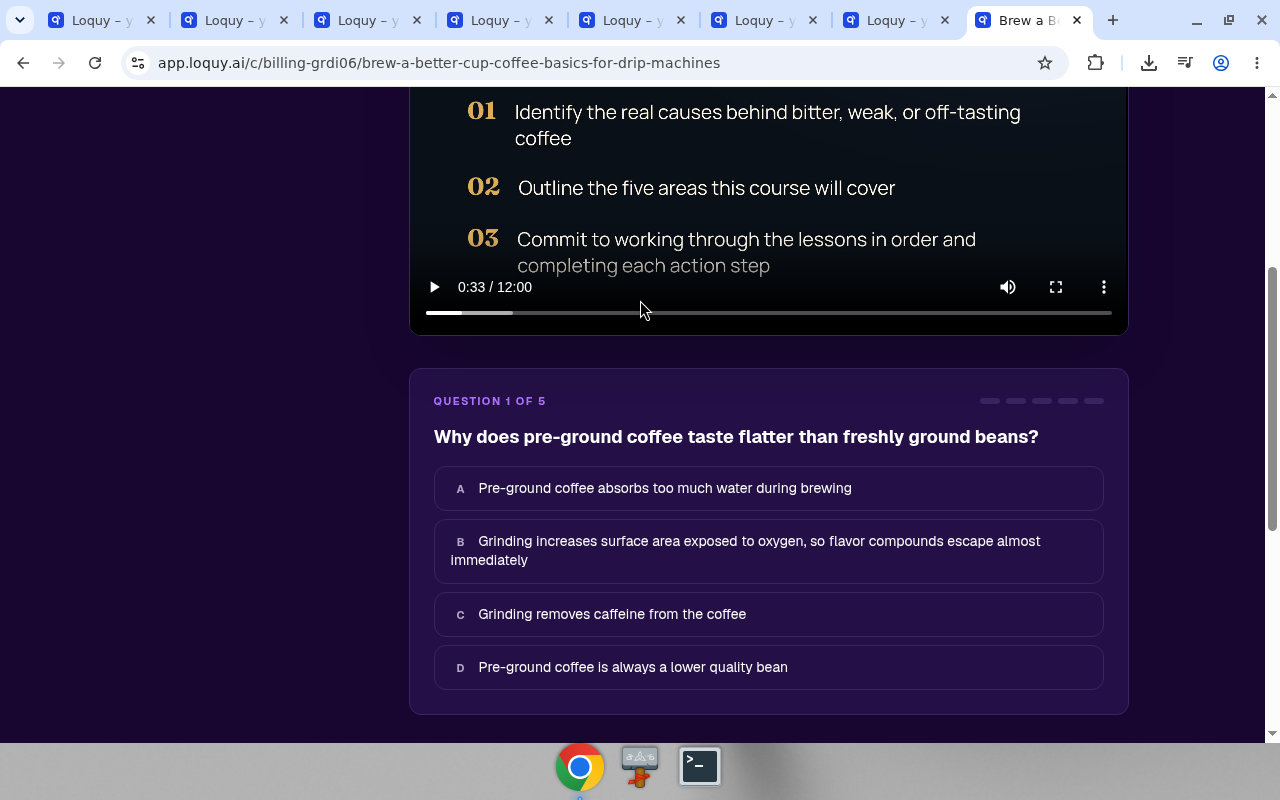
On the live course page the quiz runs one question at a time.
The heading is Quick check – did it stick? (or the same line in the course language).
Under it: N quick questions, one at a time. Pass and this lesson is marked complete — and if a certificate is on, – finish every lesson to earn your certificate.
They start with Start the quiz →.
Then Question 1 of 5 (then 2 of 5, and so on) with four answers.
Students & leads
A student row appears on Students & leads after the first quiz submission. They leave an email on that first submit.
See Students and leads.
Certificates
A completion certificate unlocks after at least one lesson has a quiz.