
Appearance
Render
Rendering turns finished lessons into video. It happens after you approve the outline and create slides in the Course builder.
You must set a voice first. If none is set, click Choose your voiceover →. See Voices and presenters.
You do not have to render everything at once
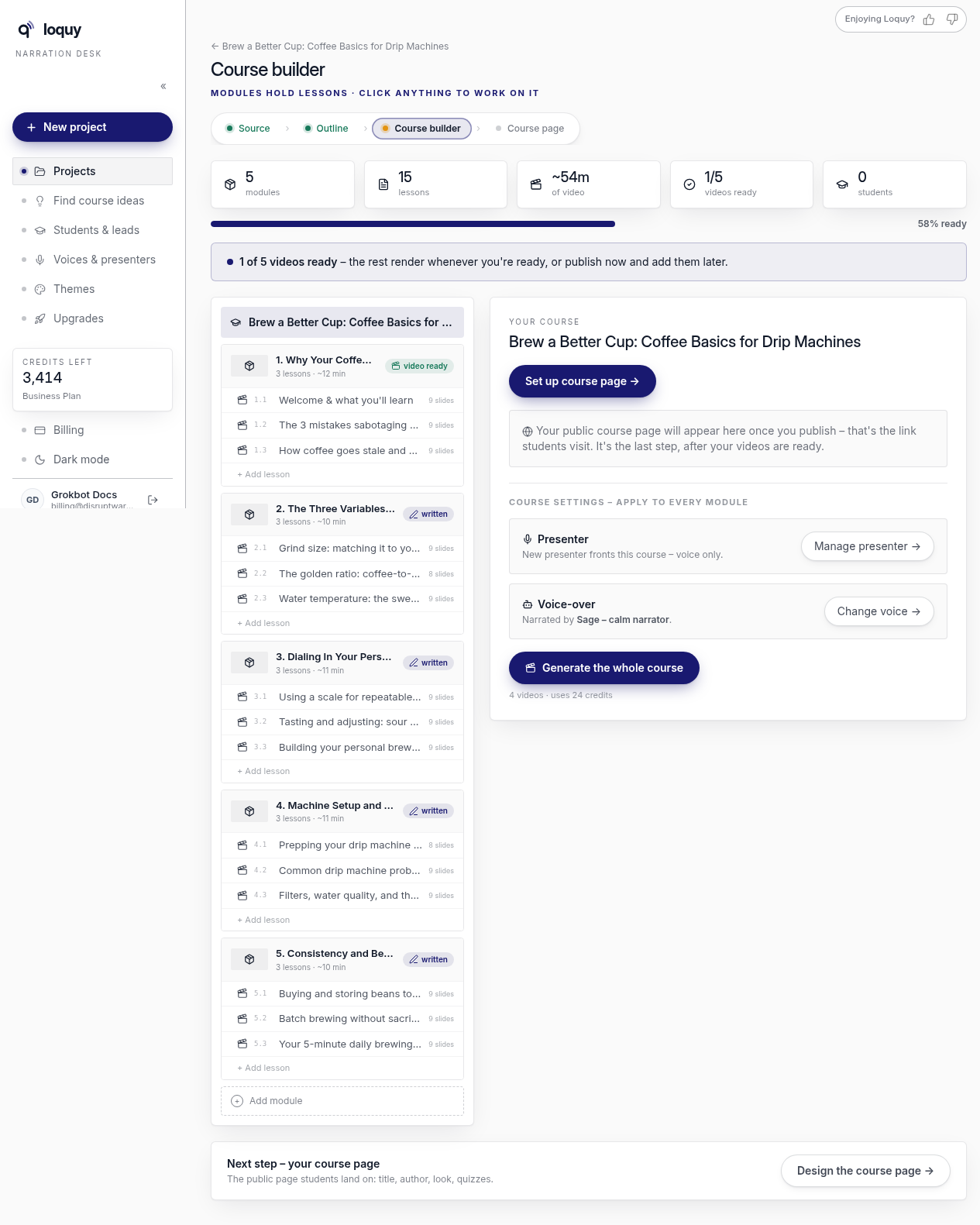
Generate the whole course can appear when several modules already have slides. It may say something like 4 videos · uses 24 credits.
That button is optional. You can render one module at a time.
Render one module
- Open Course builder.
- Select a module that already has slides.
- Click Generate the module
Or open the lesson and use Publish ▾ → Render video → (or Re-render if a video already exists).
While it runs
The builder can show Creating your videos · module N of 5.
Under that you may see Narrating slide X of Y.
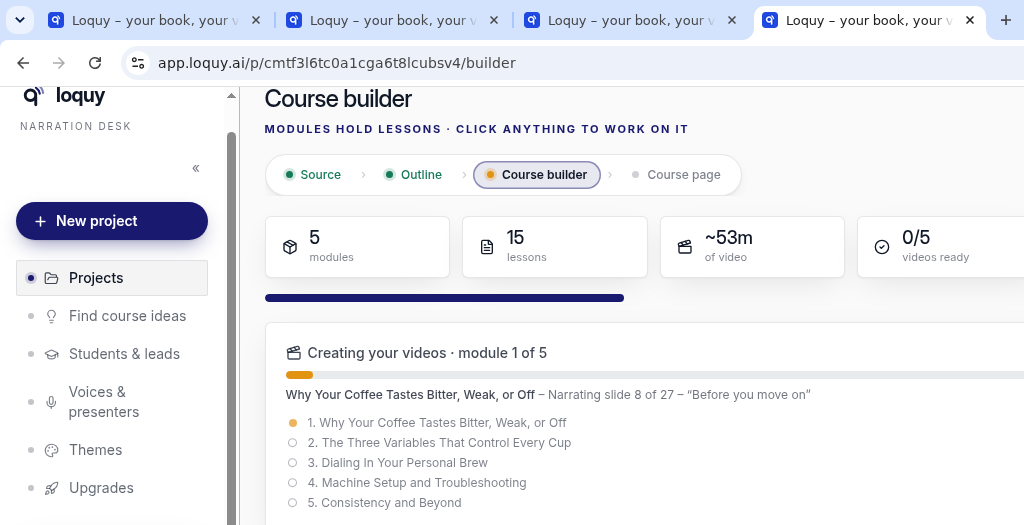
The stats tile counts videos ready — for example 0/5, then 1/5.
A banner can say 1 of 5 videos ready. You can publish after the first video. You do not have to wait for every module.
Module Video menu
On a module that has slides, open Video. The modal title is Video. Two choices:
- Add an AI intro with 12 cr on the right
- Record the whole module myself
Avatar/presenter video is 12 credits per started 15 seconds. Add an AI intro opens the presenter flow for that module.
Credits and limits
| Step | Credits |
|---|---|
| Write the 15 lessons | About 30 |
| Design the slides | About 50 |
| Video later | About 30 |
| Whole default course | About 110 |
Approve writes the lessons and slides — about 80 together.
If a render job fails, Loquy refunds those credits.
Standard can run 1 render at a time. Premium and Business can run 3.
When videos are ready, publish (Premium and Business) or download (every plan).