
Appearance
Create from a sentence
Use this when you do not have a book or file yet. One sentence is enough.
Start the project
- Click New project (or + New project on Your projects).
- Read the headline What do you want to teach?
The line under the headline: Type it below and Loquy writes the whole course – lessons, slides, and narration in your voice. You approve every word before anything renders.
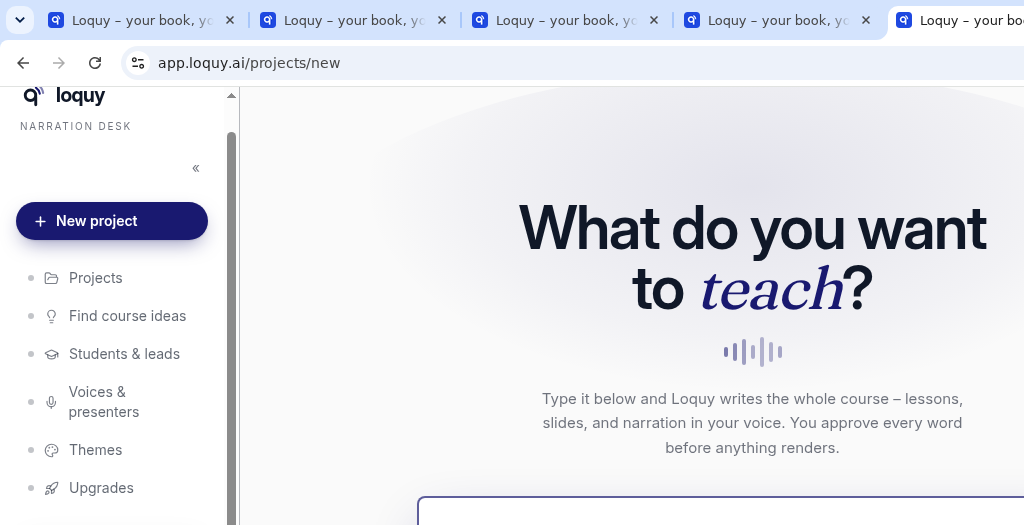
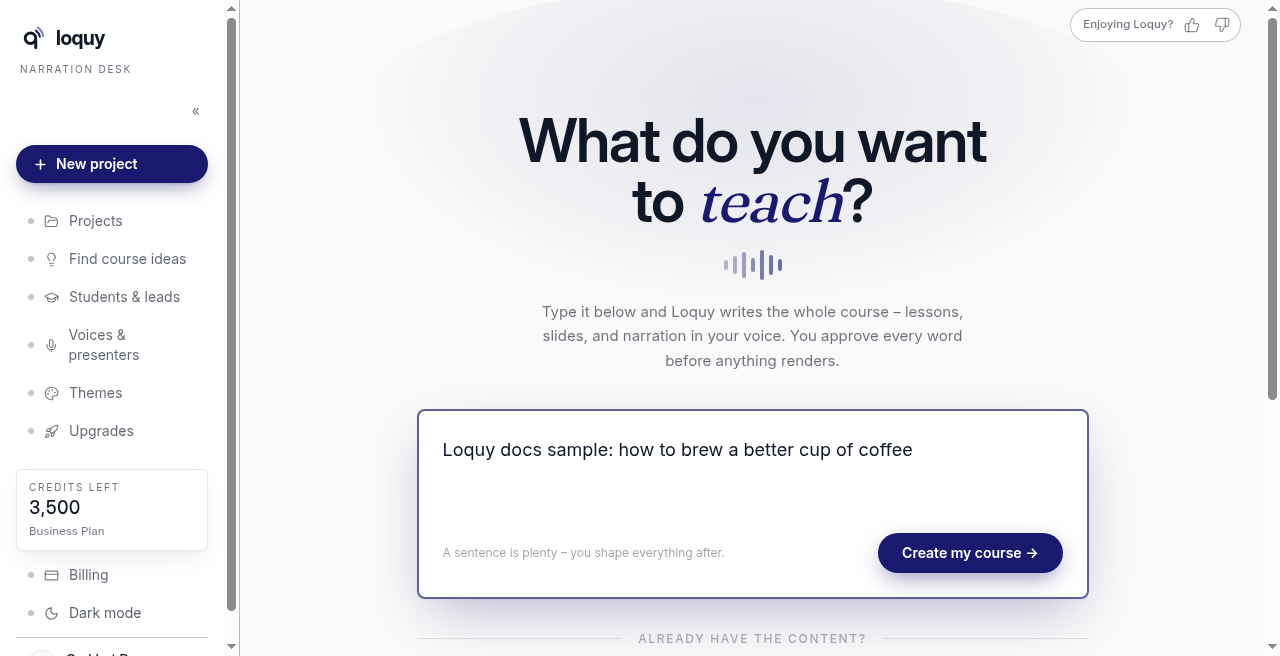
- Type in the box. The placeholder is I want to teach…
- The box also says A sentence is plenty – you shape everything after.
- Click Create my course →
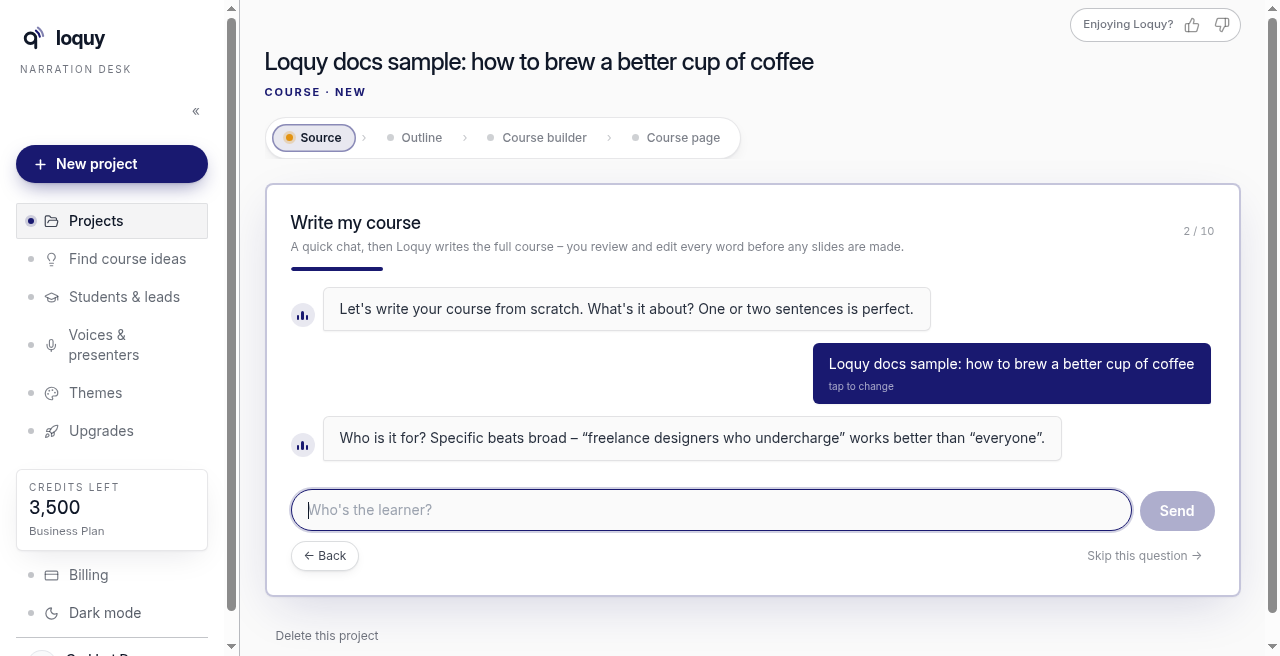
You land on the project. The card is titled Write my course.
Optional: click Pick an idea or a category chip (Business, Creative, Fitness, Tech, Lifestyle, Money) to fill the box. Then still click Create my course →.
Already have a file or link? Under already have the content?, use Import a book, doc, or website.
Answer the chat
Loquy asks a few questions. You can click Send, Skip this question →, or ← Back. Tap an answer later to change it.
Questions, in order:
- What the course is about (often pre-filled from your sentence)
- Who the learner is
- A few words about you (optional)
- How much they already know — Beginner / Intermediate / Advanced / Mixed
- The promise: what they should be able to do when they finish
- The #1 mistake or struggle
- A real example or case study (optional — you can skip it)
- Tone — What voice should it teach in? — Friendly coach / Straight-talking expert / Energetic & punchy / Calm & professional
- Language — What language? Tap one chip: English, Spanish, French, German, Portuguese, Italian, Dutch, Danish, Norwegian, Swedish, Finnish, Polish, Czech, Hungarian, or Romanian. There is no type-in box. Skip this question → uses English.
- An avoid list (optional) — jargon, topics, or names to leave out
See Course language for what that choice changes, and how voices follow it.
Draft the outline (free)
When the chat is done, click Draft my outline (free) →.
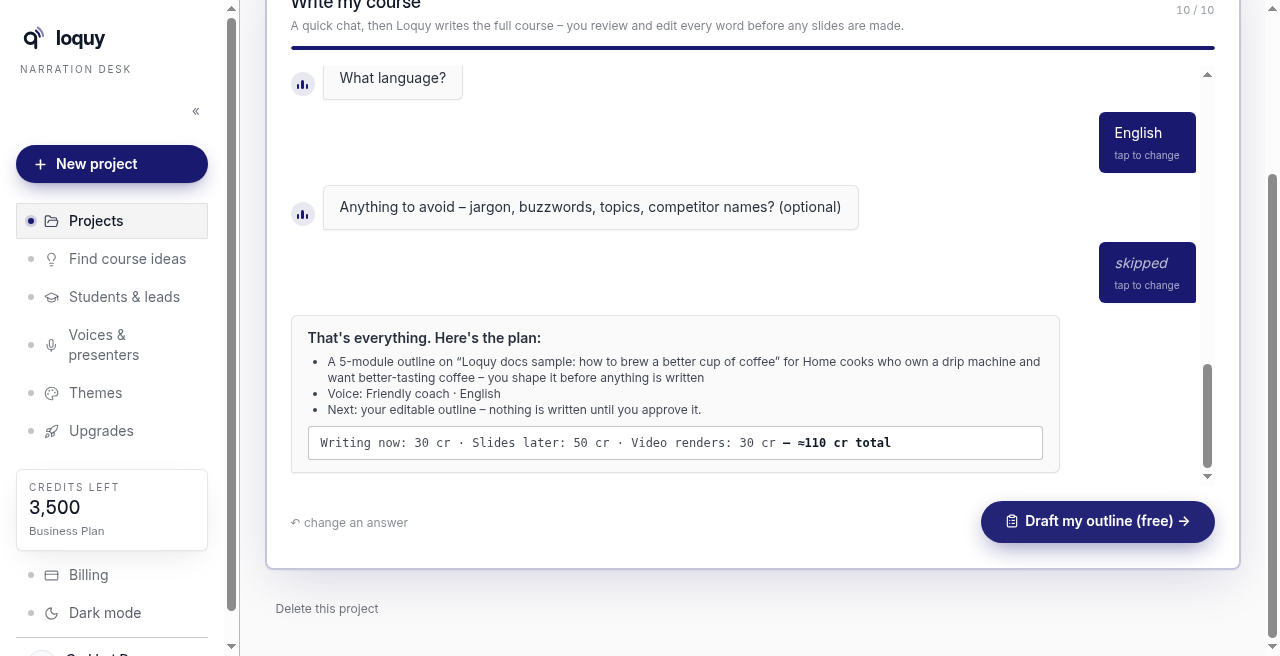
Drafting the outline does not spend credits. You still review and approve before Loquy writes the course.
The default shape is 5 modules × 3 lessons.
What the chat shows for cost
Before you draft, the chat shows a plan like:
- Write the 15 lessons: about 30 credits
- Design the slides: about 50 credits
- Video later: about 30 credits
- Whole default course: about 110 credits
Approve writes the lessons and slides — about 80 together.
If writing fails, Loquy refunds those credits.