
Appearance
Course page
Hosted course pages are a Premium and Business feature.
Standard does not get a public Loquy course URL. On Standard, take the course with you using Download.
Premium and Business
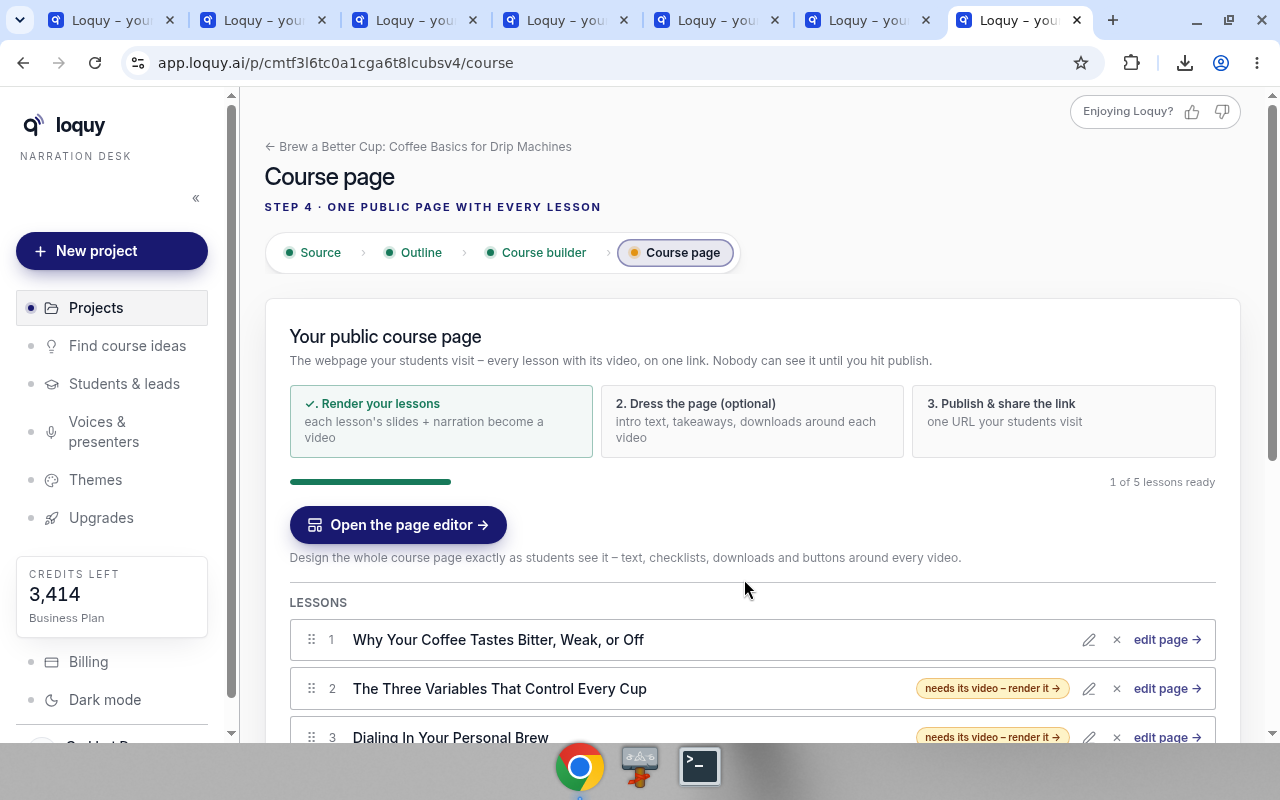
The project step is Course page. Copy on the page: one public page with every lesson.
The checklist is Render your lessons / Dress the page / Publish & share the link.
- Render at least one lesson video. Publish course page → stays locked until then. You can still dress the page.
- Click Open the page editor →
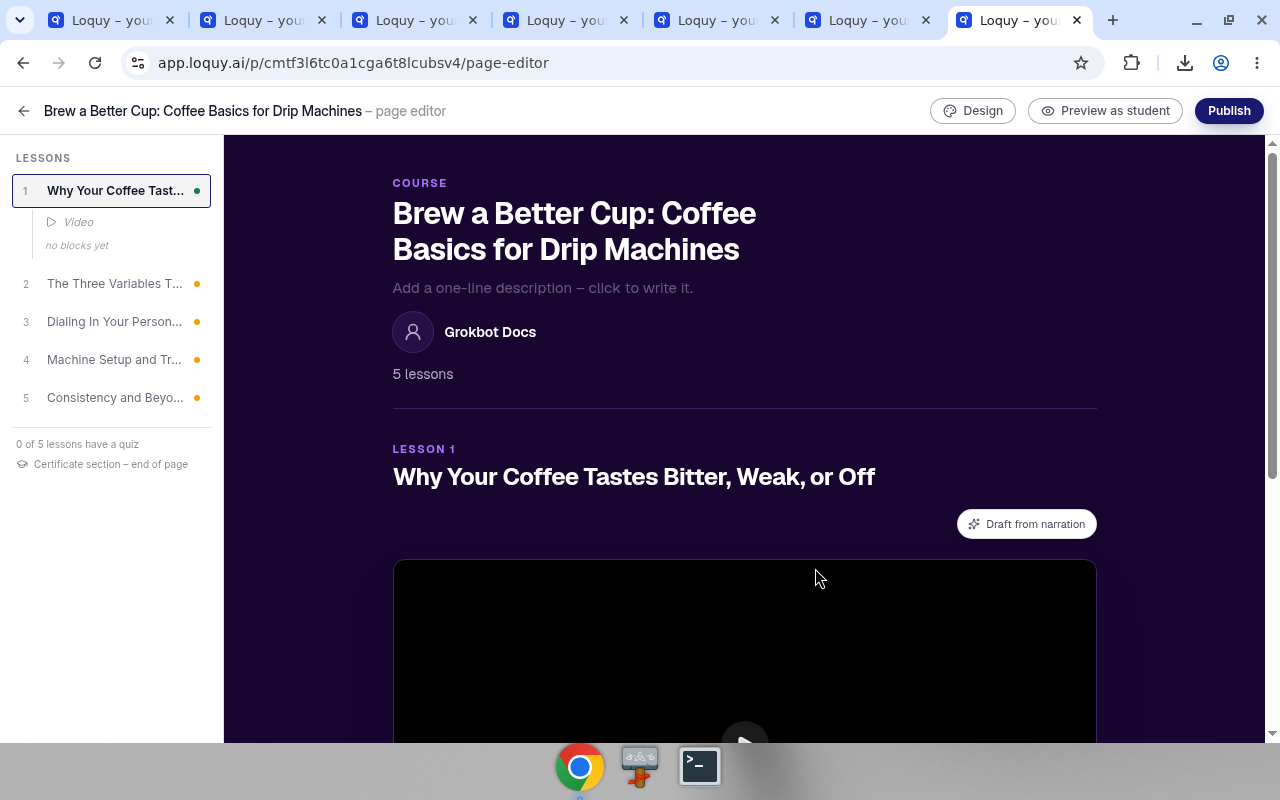
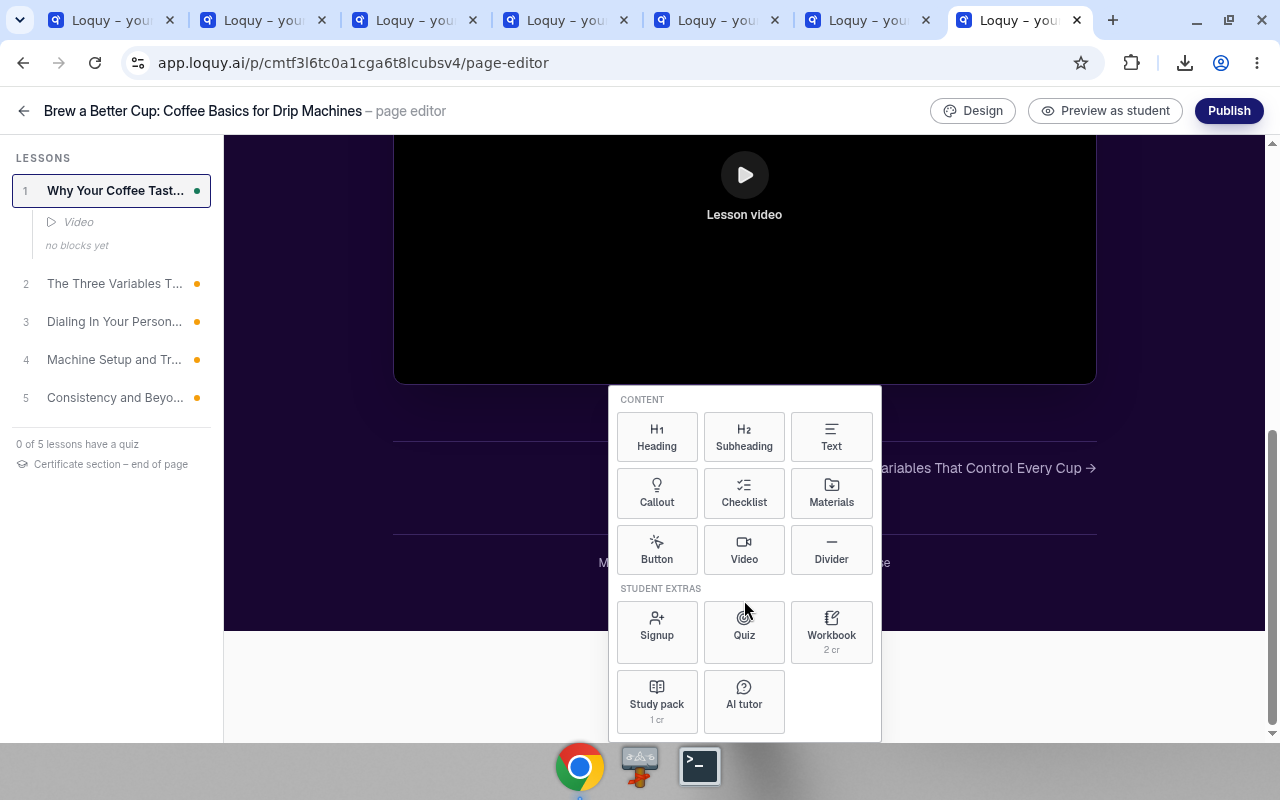
- In Add, the menu is split into CONTENT and STUDENT EXTRAS.
Content: Heading, Subheading, Text, Callout, Checklist, Materials, Button, Video, Divider.
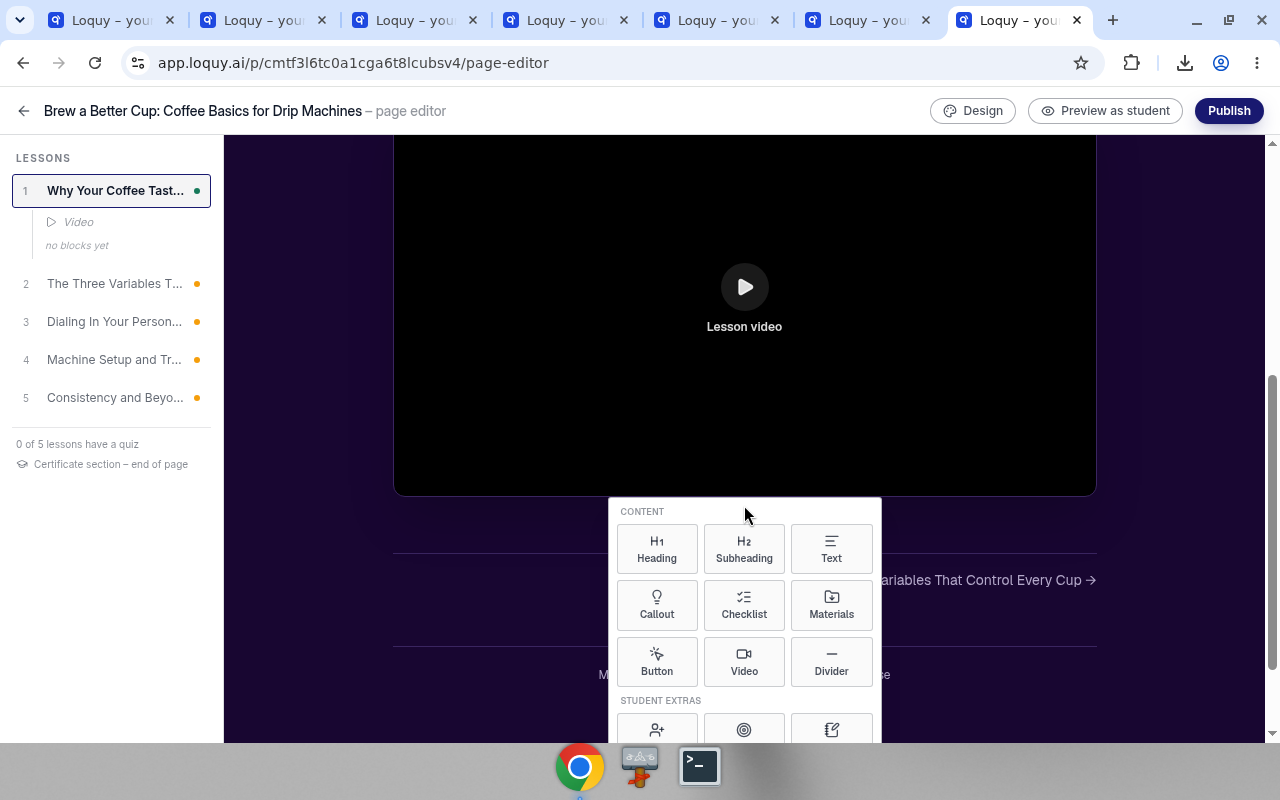
- Under Student extras, add Signup. On Business, also Quiz (free), Workbook with a 2 cr badge, Study pack with a 1 cr badge, and AI tutor (free).
A control that is already on this lesson is greyed out.
On Standard or Premium, locked extras say Premium and up – upgrade to add these or Business – upgrade to add these.
You can also pick a page colour look under Design, or start a lesson from a layout. See Colours & fonts and Page structure.
- Click Publish course page →
- Click Copy link (or Copy live link in the editor).
The public URL looks like https://app.loquy.ai/c/{workspace}/{slug}.
Students see the page in the course language. Your editor stays in English.
Visibility: Public / Unlisted / Password. A Published toggle unpublishes the page. Visitors then get a 404 until you publish again. The link stays the same.
The Course builder shows a LIVE badge and Your page is live · public · quizzes on when quizzes are on.
Publishing the page is free.
Premium can have 25 live hosted courses at once. Business is unlimited hosted courses.
Business can hide Loquy branding on the course page.
Business also sees Completion certificate (locked until a quiz exists) and Welcome email · Sent on signup (Turn off / Customize).
See What students see for the live page after you publish.
Colours & fonts
In the page editor, click Design. The first heading is Colours & fonts. These change the page colours only. They are not the Page structure layouts.
Presets:
- Studio — Dark stage – video first (the product label is Studio, not Dark)
- Daylight — Light, calm, easy to read
- Paper — Warm and bookish
- Ink — Near-black, high contrast
- Bloom — Soft, friendly, creator-led
Helper under the list: Fine-tune single colours, fonts and the author box on the Course page step.
Author
The author box on your course page shows a photo, a name and a short line about you. The same name is the instructor on student certificates.
- Open the Course page step.
- Under Page design, click Customise page.
- Under Author, click Photo to add a picture, type your Name, and add a sentence in About the author.
- Click Save page design. You see Saved - live on your course page.
If you leave Name empty, the page uses your workspace name (shown greyed out in the field). This name is separate from the name on Your account.
Page structure
In the page editor, Page structure is a starting layout for the blocks around the video. It is not Design → Colours & fonts (Studio, Daylight, Paper, Ink, Bloom). Those only change colours.
Helper text: Start a lesson from a layout – every block stays editable after.
Scope chips:
- This lesson — apply to the lesson you have open
- All lessons — apply to every lesson
Layouts:
- Clean — Just the video – nothing around it
- Guided — Intro above – takeaways & materials below
- Workbook — Do-the-work lesson with steps & a next action
- Pitch — Headline & promise above – call to action below
Applying a layout replaces the blocks that are already there. The text in them will be lost.
If this lesson already has blocks, Loquy asks you to confirm. Example for This lesson: This lesson already has blocks – replace them with the "Guided" layout? The text in them will be lost.
If All lessons is selected, the confirm names how many lessons already have blocks, then the same replace warning.
Subtitles (Business)
On a rendered lesson in the page editor:
- Open the subtitles control on the pinned video.
- Read: English captions are automatic – built from your narration, always in sync.
- Tick extra languages. You can add up to 3.
- Click Generate subtitles. Cost: 1 credit per language.
Languages offered are the course catalog plus Hindi, minus the language the lesson is already spoken in.
Locked copy: Business – upgrade to add subtitles.
Study pack audio (Business)
If you change narration after the study-pack MP3 was made, the editor says: The audio version is out of date – your narration changed after the MP3 was made. Refreshing it is free.
Click ↻ Refresh audio · free.
The MP3 plays what the video plays: a slide with your own uploaded or recorded voice-over is your recording in the MP3 too. Adding, replacing or removing a recording counts as a narration change, so refresh the audio afterwards.
Full click path: Publish. How to send the URL: Share.
Standard
On the same project step, Standard sees Download your course, not a hosted publish path.
Click Download course – MP4s, scripts & workbooks.
To host on Loquy later, upgrade on Billing.