
Appearance
Approve the outline
There are two outline screens. Do not mix them up.
If you imported a file or link
You are still on the project source step. The card is Confirm your outline.
Set Course language on that same source card first if you want a language other than the document. See Course language.
- Untick chapters you do not want.
- Click Confirm outline →
That confirm step does not write the course. Slides are made later in the Course builder.
If you started from a sentence
You are on Outline. Copy on the page: you shape the architecture, then approve.
The default outline is 5 modules × 3 lessons.
You can:
- Rename the course title, modules, and lessons
- Reorder with ▲ and ▼ (lessons can move between modules)
- Use + add lesson, + Add module, or ✕ to remove
- Edit the bullets under a lesson
Changes save as you type. Look for Saving…, Saved ✓, or Not saved – retry.
Get the order right here. After you approve, the Course builder still reorders modules and the lessons inside a module, but a lesson can no longer move to a different module. A new lesson always starts at the end of its module; move it up with ▲.
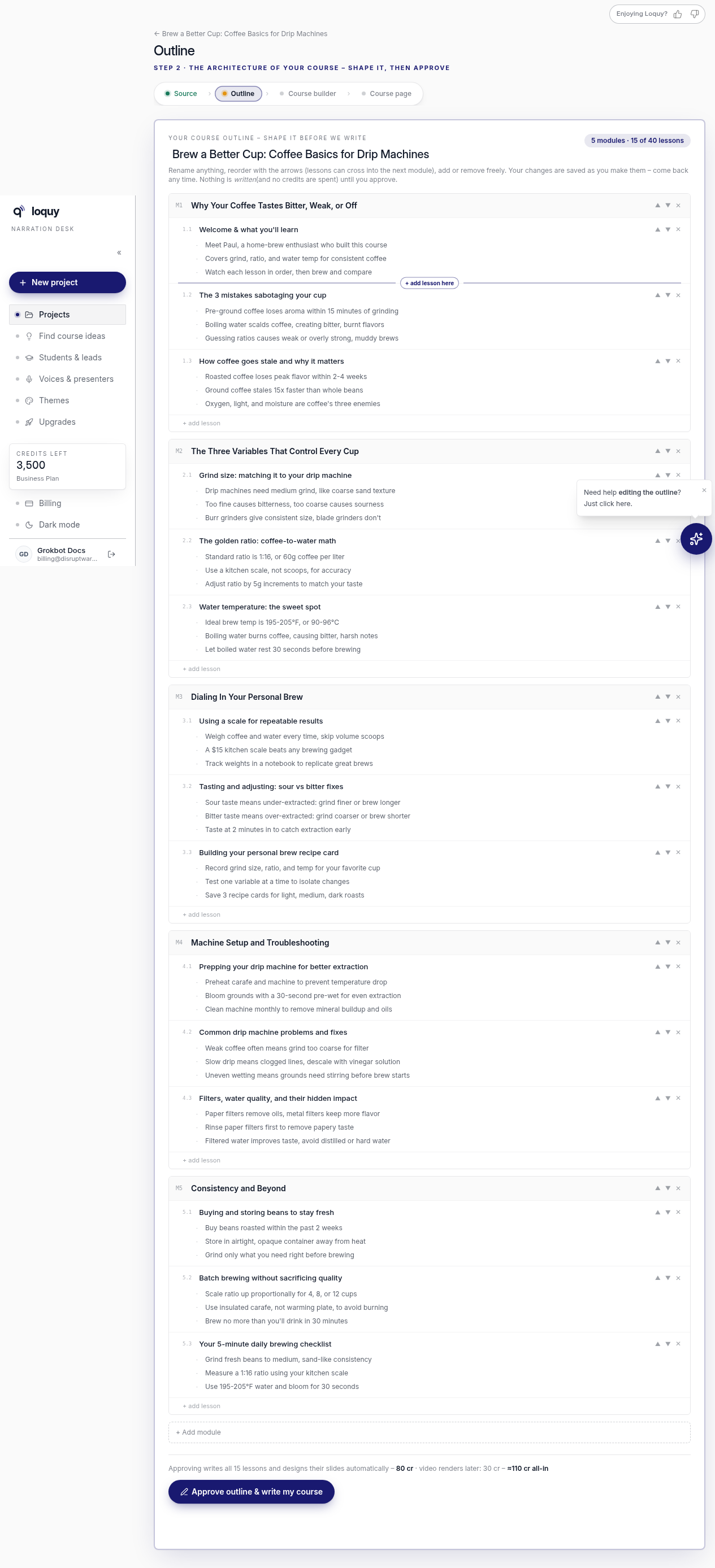
The badge shows {modules} modules · {lessons} of {max} lessons.
Plan lesson caps:
- Standard — 20
- Premium — 30
- Business — 40
A floating helper can suggest things like Punchier titles, Add a recap lesson at the end, or Make it more beginner-friendly. That helper still does not write the course until you approve.
Approve (this spends credits)
- Check the title and lesson list.
- Click Approve outline & write my course
Approve is unavailable if you have fewer than 2 lessons, or more lessons than your plan allows.
Approve writes the lessons and slides — about 80 together.
| Step | Credits |
|---|---|
| Write the 15 lessons | About 30 |
| Design the slides | About 50 |
| Video later | About 30 |
| Whole default course | About 110 |
Drafting the outline is free. Nothing is written until you approve.
After you approve
Loquy starts writing. You may be sent to Themes to pick a look while it writes.
When writing finishes, open the Course builder.
If writing fails
You may see: The last writing run failed and your credits were refunded – approve again to retry.
That is an AUTHOR-FAILED run. Credits for that job come back. Click Approve outline & write my course again.
You can also click ■ Stop writing while a run is in progress. The outline is kept and credits for that run are refunded.