
Appearance
Find course ideas
Find course ideas is a research chat. It is not a project editor. The page has two tabs: Find ideas (the chat) and Saved ideas (the ideas you kept).
Open it
- In the left menu, click Find course ideas (on a phone: Menu, top right, then Find course ideas).
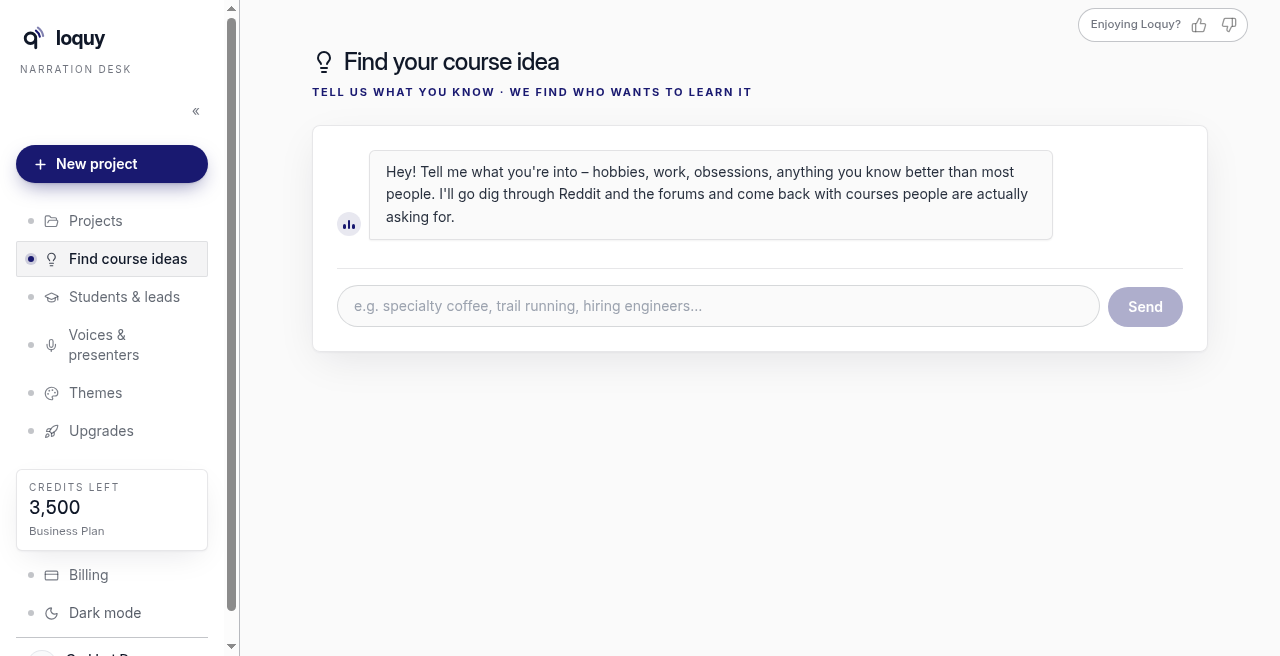
- The page title is Find your course idea.
- The line under the title: Tell us what you know · we find who wants to learn it
Use the chat
- Read the first message. It starts with Hey! Tell me what you're into…
- Type what you know — work, a hobby, or a topic you teach.
- Send the message.
Type at least a few characters. Keep it to a short paragraph.
While it works, the chat shows status lines (for example, reading forums). Wait for the reply in the same thread.
If it fails, you will see Research hit a snag – try again in a minute. Send the same idea once more. If the failure happened before any research ran, the message adds That one didn't count toward your daily searches. If the research had already run, it counts as a search – try describing your interests a little differently.
After you get ideas
Each card can show a demand badge:
- hot demand — people are asking for this repeatedly in current discussions
- solid demand — steady evidence people pay to learn it
- emerging — early interest, little competition yet
Hover a badge for the same detail. Under the cards: What the badges mean: plus that short legend.
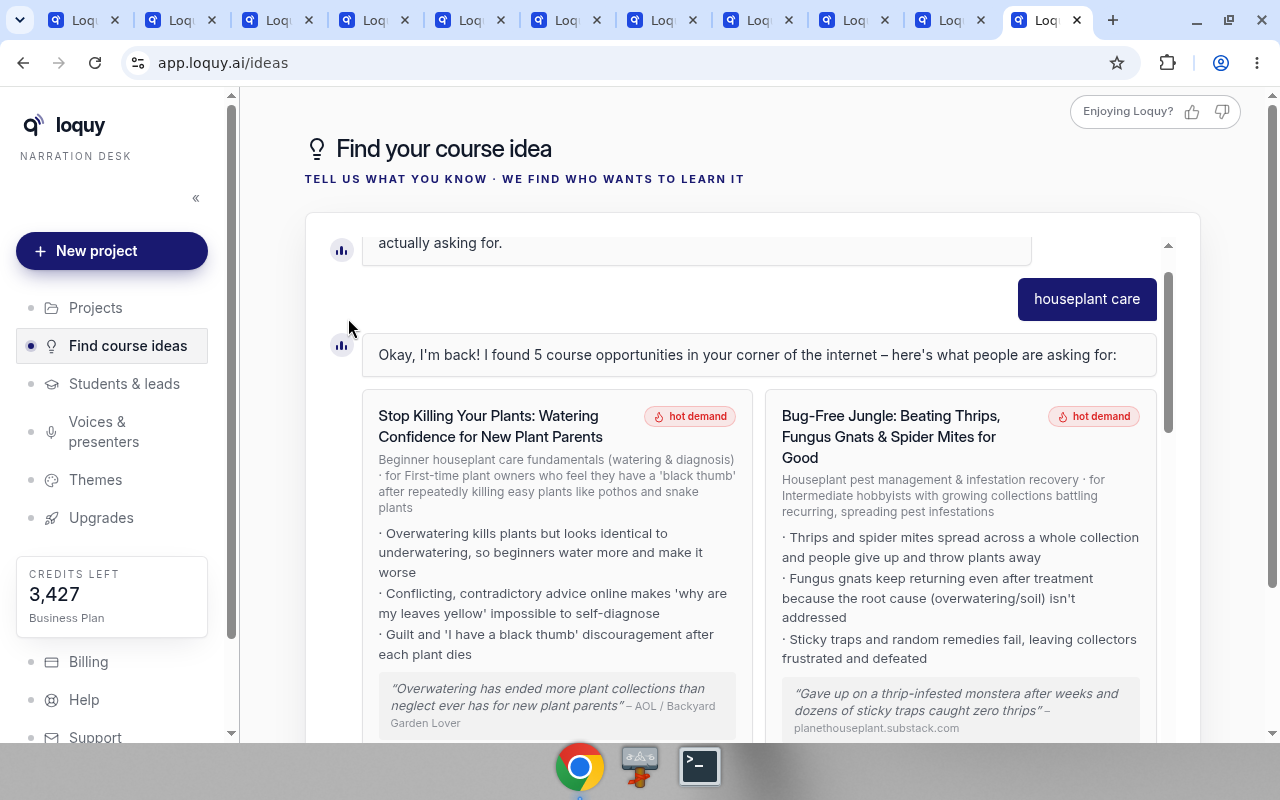
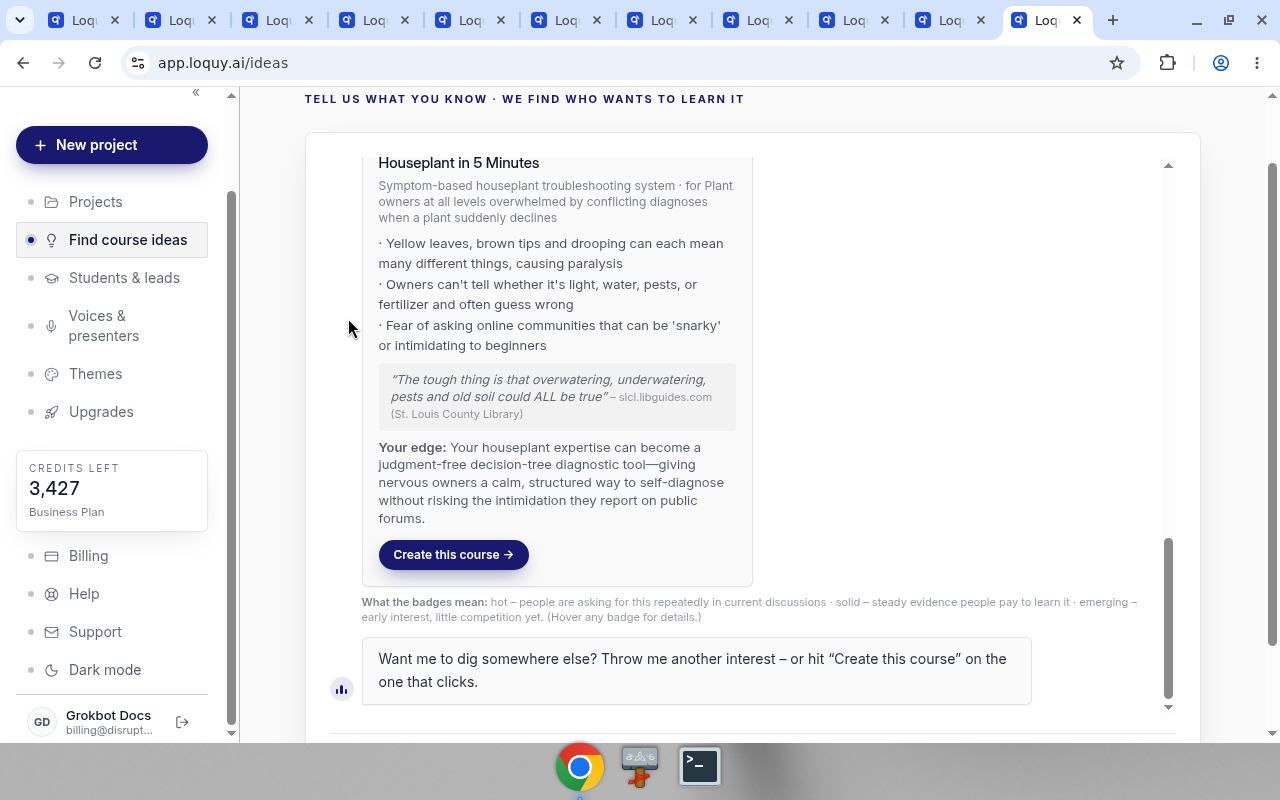
Cards also show pain points, a quote, and Your edge.
Click Create this course → on the card you want. That opens What do you want to teach? with the title filled in. Then follow Create from a sentence.
Save an idea for later
- On any idea card, click Save idea (the bookmark button next to Create this course →).
- The button turns into Saved and a note at the bottom of the screen says Saved “…” with a View saved link.
- Open the Saved ideas tab at the top of the page any time. The number on the tab is how many ideas you kept.
Each saved card keeps everything the original showed – the demand badge, pain points, the quote and Your edge – plus when you saved it and which search it came from. Create this course → works there too.
To remove a saved idea, click Remove on its card in Saved ideas. A box asks Remove "…" from Saved ideas? – click Remove to confirm or Cancel to keep it. After removing, a note offers Undo for a few seconds. (In the chat, clicking Saved on a card un-saves it straight away, also with Undo.)
Saving the same idea twice keeps one copy. You can keep up to 100 saved ideas. Saved ideas stay even if you remove the search they came from.
Your saved ideas and past searches are yours: teammates in the same workspace do not see them, and each workspace you belong to has its own list.
Past searches
Every search you run is kept. Under the chat you will see Past searches – click one to reopen its results in the chat instantly. Reopening is free and does not use one of your daily searches. Click the x on a past search to remove it. A box asks you to confirm and reminds you that ideas you saved from it stay saved; after removing, a note offers Undo.
How many searches you get
Each search does live research, so you get 10 searches per rolling 24 hours. The line above the chat says how many you have left (for example 7 of 10 searches left today). Removing a past search does not give one back. A search that fails before any research runs does not count.
When you reach the limit, the chat box is switched off and a note says when the next search frees up. Your past searches and saved ideas keep working the whole time.
This screen does not charge credits.
This page does not create slides, take payment, or publish a course. Those jobs live in the project after you click New project.